
Bring your own Hugging Face model to GraphN without managing GPUs
- Published
- August 23, 2026
- Reading time
- 11 min
Import public, gated, fine-tuned, or private model weights from Hugging Face or S3. GraphN validates and deploys the model on managed GPUs, scales it to zero when idle, and exposes it through the same OpenAI-compatible API as the managed model catalog.
Custom-model startup used to be dominated by pulling weights off replicated network block storage. GraphN now stages checkpoints through a content-addressed object cache onto node-local NVMe, and reuses compiled engine artifacts between starts. Measured against our own previous storage path, that cut end-to-end cold wake by 1.7× to 4.1× across 3B, 14B, and 72B-AWQ models; the weight-staging phase alone improved 6× to 11×.
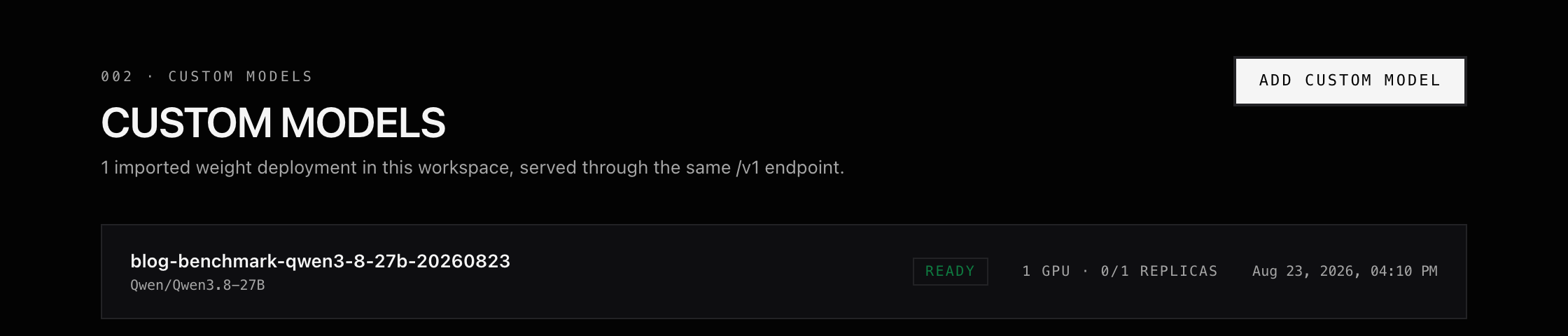
Two later measurements show what the caching layers add on top of that. On August 23, re-importing the same pinned 55.6 GB Qwen3.8-27B revision finished its preparation phase in 15 seconds rather than the 6m41s a full preparation refill takes, because a revision hit moves no checkpoint bytes. The same 131,072-token scale-to-zero deployment later returned to Running in 2 minutes 30 seconds on a fully warm, same-node wake.
Read those two numbers narrowly. The 15-second result is one phase of import: it is not a deployment time and not a first-token latency. The 2m30 result is a same-node wake with both caches already populated, not a guarantee for every placement. Every figure here is GraphN measured against GraphN on our own hardware, and none of them is a claim about inference speed or about another platform. The full methodology is below.
Follow the custom-model tutorial, or open Models → Import Model in a GraphN workspace.
Who custom-model import is for
Use custom-model import when the model you need is not simply a name in a managed catalog:
- a fine-tuned checkpoint in your Hugging Face organization;
- proprietary weights in a private S3 bucket;
- a pinned model revision that must not move underneath an application;
- a LoRA adapter that should reuse a supported base model; or
- an open-weight model you want behind the same API as the rest of your GraphN stack.
If you only need the standard Qwen3.8-27B release, it is already available through GraphN managed inference. We used its official checkpoint here because a recent, large, public model makes the import benchmark reproducible.
Import and call a model
Install the SDK and set your workspace credentials:
bash
pip install graphn
export GRAPHN_API_KEY=gn_...
export GRAPHN_WORKSPACE_ID=ws_...
Then import a model, wait for it to become ready, and call it:
python
import graphn

with graphn.Client() as client:
    model = client.custom_models.create(
        name="my-qwen",
        weight_source="huggingface",
        huggingface_model_id="Qwen/Qwen3-0.6B",
    )
    model = client.custom_models.wait_until_ready(model.id, timeout=1800)

    response = client.chat.completions.create(
        model=model.id,
        messages=[{"role": "user", "content": "Explain KV caching in one sentence."}],
        max_tokens=120,
    )
    print(response.choices[0].message.content)
The same lifecycle works for gated Hugging Face repositories, presigned S3 archives, and raw S3 prefixes accessed through an IAM role. The full tutorial includes each source and the LoRA path.
How the acceleration works
Model startup has two expensive phases: moving weights into GPU memory and compiling the computation graph. Custom-model import adds a third phase before either of those: resolving and validating the original artifact. GraphN treats all three as separate pieces of reusable work.
text
Hugging Face or customer S3
             │  resolve + validate
             ▼
 prepare without GPU allocation
             │  parallel staging
             ▼
       node-local NVMe
             │  fastsafetensors when its staging peak fits
             ▼
            GPU

first healthy start ──► compiled engine artifacts ──► reusable object cache
Pin the artifact before moving 55.6 GB
For Hugging Face imports, GraphN reads metadata such as
config.json, validates the architecture, and resolves a branch or tag to an immutable commit SHA before downloading the full checkpoint. The public-cache identity combines the repository and resolved revision, not the deployment name. Two imports of the same revision therefore converge on the same bytes, while a later change to main produces a different identity instead of silently mutating an existing deployment.Private S3 artifacts use a different rule. GraphN derives a stable identity from the object location but scopes it to the workspace. Rotating a presigned URL does not create a new model identity merely because its signature and expiration changed, and private imports never participate in cross-workspace reuse.
Prepare weights while the model is still at zero replicas
Import launches a preparation job; it does not allocate a GPU. Model files are processed before the first inference request, so source transfer and validation do not hold an accelerator open.
The preparation path is fail-closed. Model files are processed first, their expected configuration and shard list are recorded, and completion is published last. A terminated transfer can leave partial work behind, but without that final proof GraphN will not mark the artifact ready. Concurrent imports also converge on a single preparation operation, so ten deployments of one public revision do not trigger ten full source downloads.
This is the distinction behind the 6m41s versus 15s preparation result. Both runs used the same architecture described here; only the cache state differed. The refill moved all 55.6 GB through the preparation path. The repeated import recognized the completed revision, reused its configuration, and only published a deployment-specific manifest.
Stage shards to node-local NVMe in parallel
At wake-up, GraphN first checks whether the model is already resident on the selected GPU node's NVMe. Residency is also a soft scheduling signal: when capacity permits, a model returning from zero replicas is placed on a node that already holds its weights. It remains a preference, not a hard constraint, so an unavailable warm node does not block the deployment.
On a node miss, the loader uses
s5cmd to stage checkpoint shards to NVMe with parallel object transfers. A node-local lock collapses simultaneous starts, and the loader checks for completion again after taking the lock in case another replica finished the transfer. Partial local state is discarded before retrying, and the local completion marker is written only after the model configuration is present.For compatible vLLM runtimes, GraphN then selects
fastsafetensors. It batches Safetensors reads and tensor preparation instead of deserializing every tensor through the default path; where the storage and driver stack support it, the library can also use GPU Direct Storage. GraphN preserves that fast path unless measured checkpoint and shard sizes prove its temporary GPU staging buffer would not fit, in which case vLLM uses its standard loader. In the measured Qwen wake, vLLM loaded all 18 shards from local NVMe into GPU memory in 22.83 seconds.Cache compilation separately from model weights
Model bytes and compiled kernels do not have the same validity rules. GraphN therefore gives engine artifacts their own key, derived from the pinned weight identity, serving-runtime version, and normalized vLLM arguments such as context length, quantization, and tensor parallelism. vLLM adds its own internal hashes for model configuration, compiler inputs, and GPU compatibility.
On the first successful start, a sidecar waits until vLLM is healthy, then writes its
torch.compile, TorchInductor, Triton, CUDA, and supported kernel artifacts back to object storage. As with weights, the completion marker is written last. Before a later pod starts vLLM, the loader pulls the many small artifact files in parallel. A miss is safe: vLLM compiles normally, and the resulting cache is available to the next compatible pod.Not every initialization step is serializable. CUDA graph capture is runtime state and must still run for each process. Scheduling, image startup, multimodal warmup, health checks, and the first request also remain outside the reusable artifact. That is why a 5.42-second
torch.compile cache load is one component of the measured 2m30s pod-to-Ready wake, not the whole result.What we measured
Three separate measurements appear below, and they answer three different questions. The storage-path comparison is the one that says how much faster this architecture is than what it replaced. The other two say what the caching layers save on a repeat import and on a warm wake, both within the current architecture.
Against the previous architecture: 1.7×–4.1× end-to-end
In a controlled June 2026 benchmark, we compared the new path with the previous replicated block-storage path. Each comparison used the same model, GPU class, and inference configuration; only weight placement changed.
Scroll horizontally to compare
| Model class | End-to-end cold-wake speedup | Weight-staging speedup |
|---|---|---|
| 3B | 1.7× | 6.3× |
| 14B | 3.1× | 5.8× |
| 72B AWQ | 4.1× | 11.2× |
The larger the checkpoint, the more the old storage path dominated startup. Moving weight staging onto a parallel object path reduced that phase by roughly 6× to 11× in these tests, and reduced total cold-wake time — pod creation through readiness, including loading the model from NVMe into vLLM — by 1.7× to 4.1×.
These are engineering measurements, not a latency guarantee. Transfer rates vary with model layout, cache state, placement, and available bandwidth. A first import still pays the original-source cost, a cold node still has to stage weights, and a new engine configuration still has to initialize.
Import preparation: 6m41s on refill, 15s on a cache hit
On August 23, 2026, we imported the official
Qwen/Qwen3.8-27B checkpoint into a scale-to-zero custom deployment. Qwen3.8-27B had been released nine days earlier and contains 55.6 GB across 18 Safetensors shards.Scroll horizontally to compare
| Import state | Checkpoint data moved | Weight preparation |
|---|---|---|
| 55.6 GB preparation refill | 55.6 GB | 6m41s |
| Exact revision already prepared | No checkpoint transfer | 15s |
The second import used the exact same pinned revision under a new deployment. It recognized the completed revision, reused its configuration, and completed the preparation phase about 27× faster than the refill.
That ratio describes one phase against one baseline. Both runs used the current architecture, so it measures what the revision cache saves, not how much faster GraphN is than the storage path it replaced — that comparison is the 1.7×–4.1× above. Both deployments also remained at zero replicas throughout, so the 15 seconds covers no GPU work at all: a request to a scaled-to-zero model still has to acquire a GPU and initialize its inference engine. The 6m41 baseline is itself a controlled refill on the fast path, not a first-ever Hugging Face download.
Wake-up: 2m30s with local weights and engine artifacts
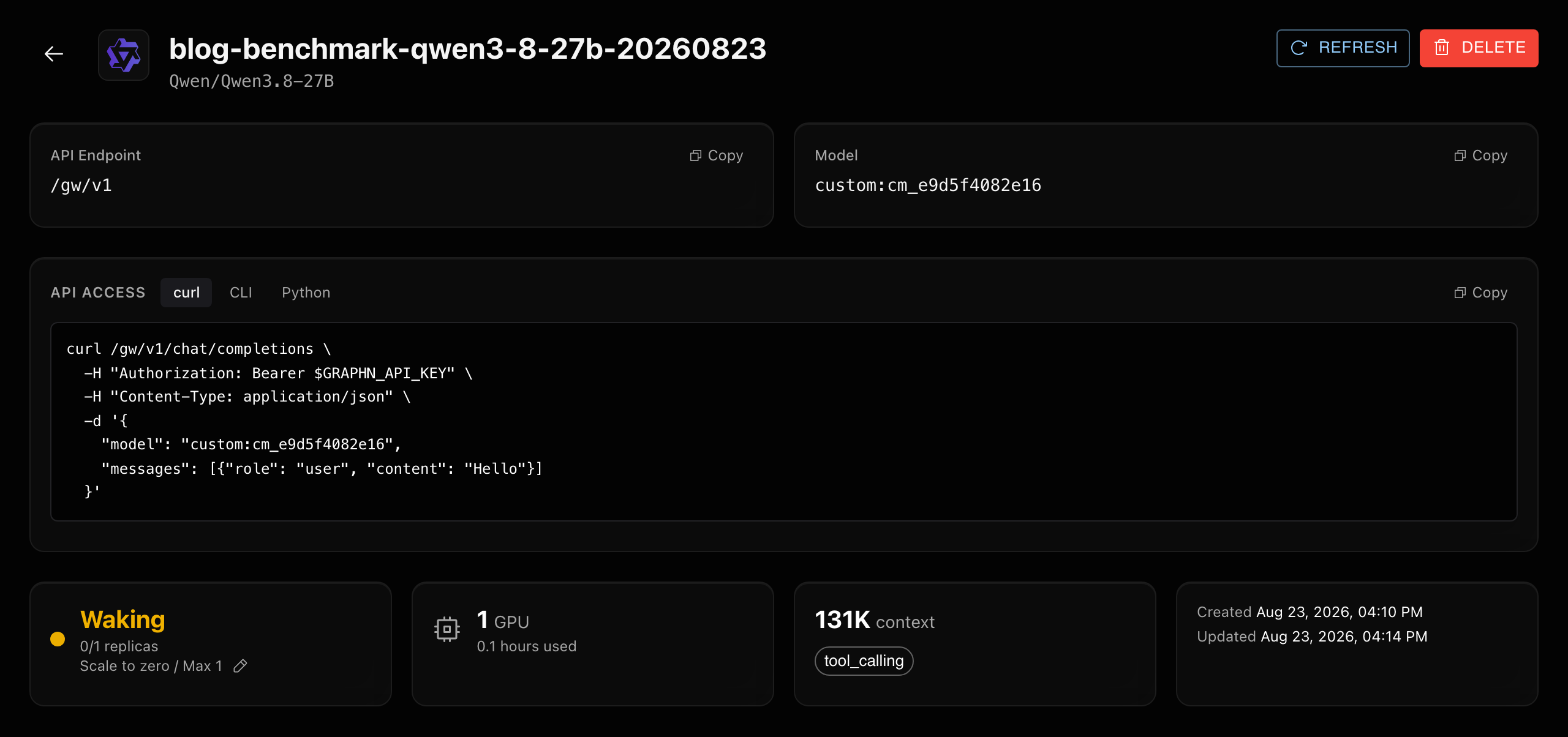
We then served the checkpoint on one GPU with a 131,072-token context window and let the deployment scale back to zero. On its next wake, the scheduler returned it to the same node. GraphN found both the complete model on local NVMe and the compatible compile artifacts produced by the previous start.
Scroll horizontally to compare
| Warm-wake phase | Measured time |
|---|---|
| Validate local weights and restore compile cache | 10s |
| Load 18 Safetensors shards into GPU memory | 22.8s |
Reuse compatible torch.compile artifacts | 5.4s |
| Pod creation → Ready | 2m30s |
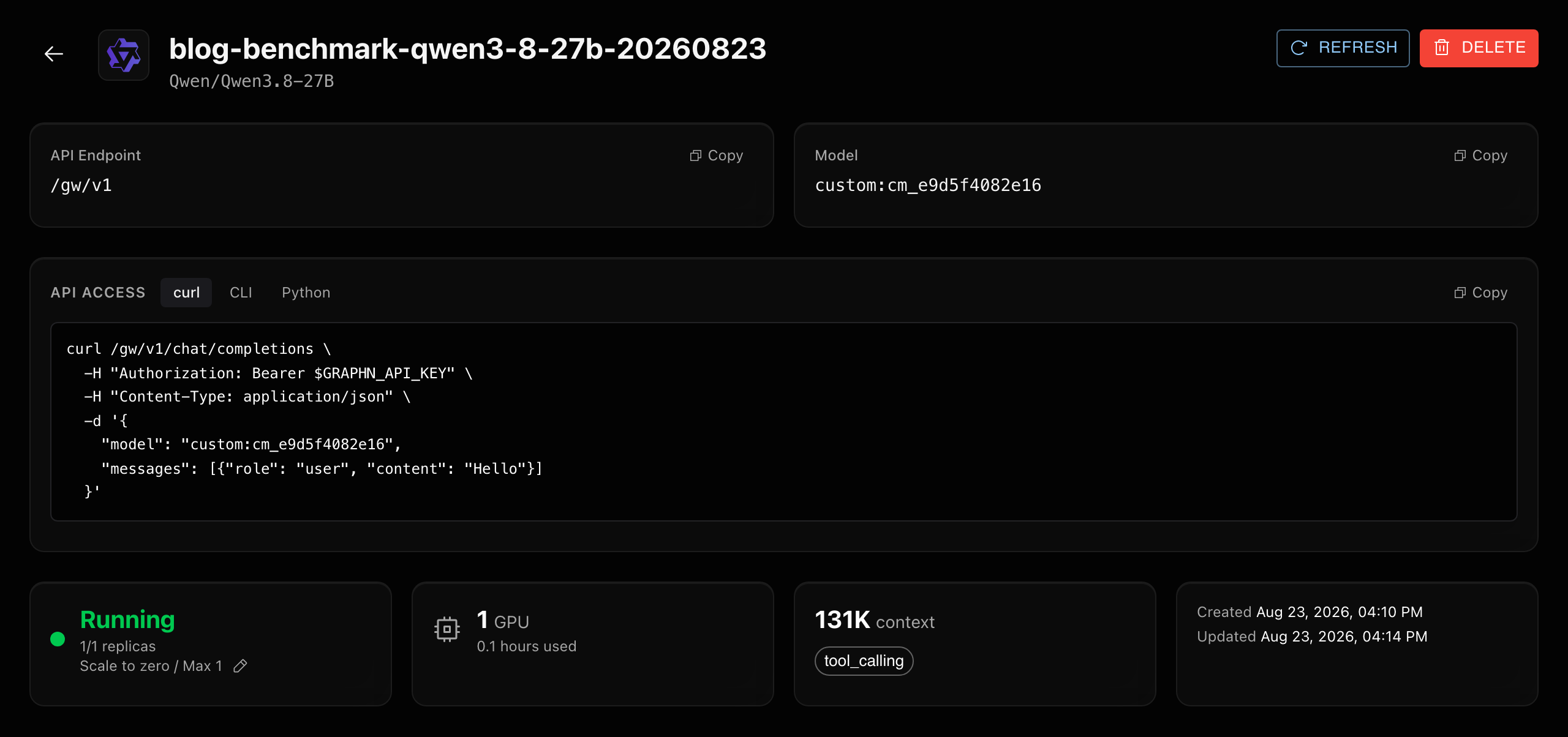
This is a fully warm, same-node result, not a fleet-wide wake guarantee. A model placed on another node may still need to stage its weights from the shared cache, and a runtime, hardware, context, or serving-configuration change can require new compile artifacts. The total also includes scheduling, container startup, model initialization, multimodal warmup, and readiness checks beyond the three timed cache phases above.
What GraphN handles for you
The individual primitives of object storage, parallel transfer, NVMe, and compile caching are established. The difficult part is composing them without accepting partial artifacts, crossing tenant boundaries, duplicating large downloads, or reusing engine output under the wrong configuration. GraphN handles:
- immutable revision resolution and architecture validation before expensive work begins;
- private-source access through workspace secrets or short-lived IAM credentials;
- background preparation without holding a GPU open;
- completion proofs, retries, and single-flight preparation for matching revisions;
- parallel shard staging plus locality-aware node placement;
- compile-artifact capture and configuration-aware reuse; and
- scale-to-zero lifecycle behind one model identifier and OpenAI-compatible API.
Recognizing a previously prepared revision removes a repeated 55.6 GB transfer. A fully warm same-node wake can additionally reuse local weights and compatible engine artifacts. Neither result is a universal first-token guarantee; GPU scheduling and initialization remain separate work. That distinction is why GraphN measures each phase separately, and why the headline improvement over the previous architecture is the 1.7×–4.1× end-to-end figure rather than the largest ratio any single phase produces.
If your weights are already on Hugging Face or S3, follow the custom-model SDK tutorial to import them, wait for readiness, and send the first completion.
Primary sources
- Import a custom model with the Python SDK
Documents GraphN imports from Hugging Face, presigned S3 archives, and S3 prefixes accessed through an IAM role.
- GraphN Inference
Documents managed custom-model deployment, LoRA support, and the OpenAI-compatible serving boundary.
- Qwen3.8-27B model card
Identifies the exact checkpoint revision used by the benchmark, its architecture, license, and published model files.
- s5cmd
Documents the parallel S3-compatible transfer client GraphN uses to stage model shards and compile artifacts.
- fastsafetensors
Documents batched Safetensors loading, GPU-side preprocessing, and optional GPU Direct Storage support.
- vLLM torch.compile design
Documents vLLM's reusable compilation cache and the configuration factors used to validate compiled artifacts.