
LoRA adapters on a shared base
Deploy one base model, attach up to eight LoRA adapters to it, and call each adapter as its own model. Adapters run on the base's replicas: you pay for the base's GPU time ($6.50 per GPU-hour, billed per second while a replica runs) and nothing per adapter.
LoRA adapters are in private beta.
Before you start
- A supported base. The base must be a model GraphN can serve as a custom model, such as
Qwen/Qwen3-8B, loaded from Hugging Face or from S3 through an IAM role. - A plain LoRA adapter in PEFT format, trained on that base: a folder holding
adapter_config.jsonandadapter_model.safetensors(up to 4 GiB). - The CLI, version 1.0.34 or later, if you use the terminal. See Developing with agents.
1. Deploy a base
Console
- Open Deployments → Deploy a model.
- Enter the base's Hugging Face ID and choose Check weights.
- Turn on Serve LoRA adapters on this base.
- Set Highest adapter rank. Choose 16 to leave more GPU memory for context, or 64 for larger adapters. Adapters above this rank are refused, and it can't be changed after deploying.
- Deploy.
CLI
bash
graphn model custom deploy --name qwen-base \
  --hf-model-id Qwen/Qwen3-8B --lora-enabled --max-lora-rank 64
A base runs on one GPU per replica, without prefill/decode split, speculative decoding or quantization. The Fastest preset isn't available for it.
2. Attach an adapter
Console
- Open the base and go to its Adapters tab.
- Choose Attach adapter, then pick a source:
- Hugging Face: the repo ID. For a gated or private repo, attach a token secret.
- S3: an
s3://prefix ending in/plus an IAM role (see S3 custom model setup), or a presigned URL to a.tar.gzof the adapter.
- Give it a name and choose Check adapter. GraphN confirms the files are there, the rank fits the base, and which base the adapter was trained on.
- Choose Attach.
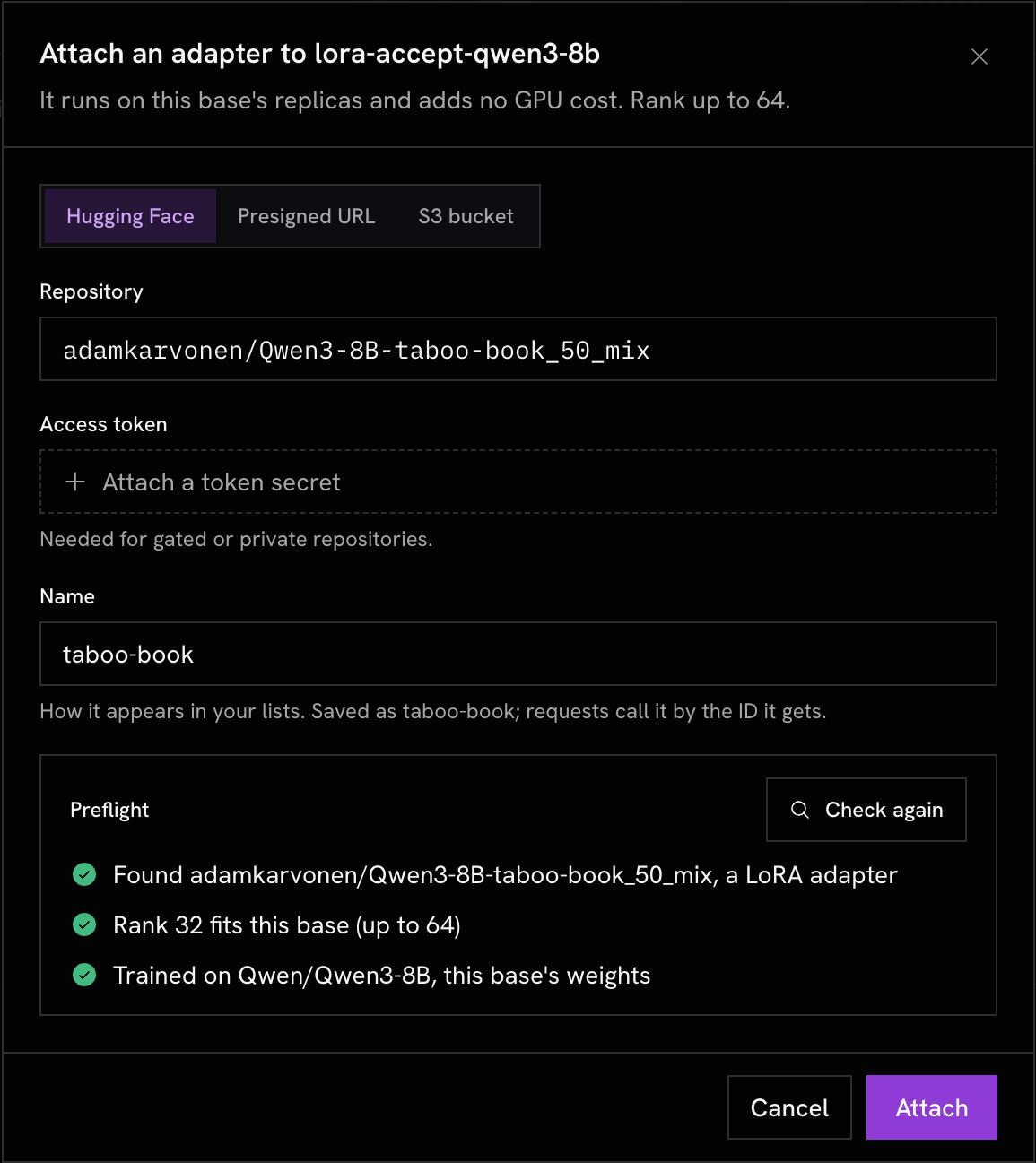
If the adapter names a different base, the check warns you and asks for confirmation. An adapter trained on another base usually fails to load, and when it does load, it produces poor output.
CLI
bash
graphn model custom adapter attach <base-id> \
  --hf-model-id my-org/qwen3-8b-support-lora --name support --wait
Scroll horizontally to compare
| Flag | Use |
|---|---|
--hf-model-id | Hugging Face repo of the adapter |
--hf-token-secret | Secret ID holding a Hugging Face token, for gated or private repos |
--s3-url | A presigned URL, or an s3:// prefix together with --s3-role-arn |
--s3-role-arn, --s3-external-id | The IAM role GraphN assumes. Its name must start with graphn-byom- |
--acknowledge-base-mismatch | Attach an adapter that declares a different base |
--wait, --timeout | Poll until the adapter is ready or failed (default 30 minutes) |
Attaching takes about three to five minutes. While it does, the base and its other adapters keep serving.
3. Call an adapter
A ready adapter is a model named
custom:<adapter-id>. It works with any OpenAI-compatible client and a workspace API key:bash
curl https://model.graphn.ai/v1/chat/completions \
  -H "Authorization: Bearer $GRAPHN_API_KEY" \
  -H "Content-Type: application/json" \
  -d '{
    "model": "custom:cm_0123456789ab",
    "messages": [{"role": "user", "content": "Hello"}]
  }'
python
import os

from openai import OpenAI

client = OpenAI(
    base_url="https://model.graphn.ai/v1",
    api_key=os.environ["GRAPHN_API_KEY"],
)
reply = client.chat.completions.create(
    model="custom:cm_0123456789ab",
    messages=[{"role": "user", "content": "Hello"}],
)
The base stays callable under its own
custom:<base-id> name, without any adapter applied. In the console, Try in playground opens an adapter in Chat, and Compare runs it next to its base on the same prompt.
4. Manage adapters
bash
graphn model custom adapter list <base-id>      # adapters on one base
graphn model custom list --adapters             # every base and its adapters
graphn model custom adapter get <adapter-id>
graphn model custom adapter delete <adapter-id>
In the console, Deployments lists each adapter under its base:
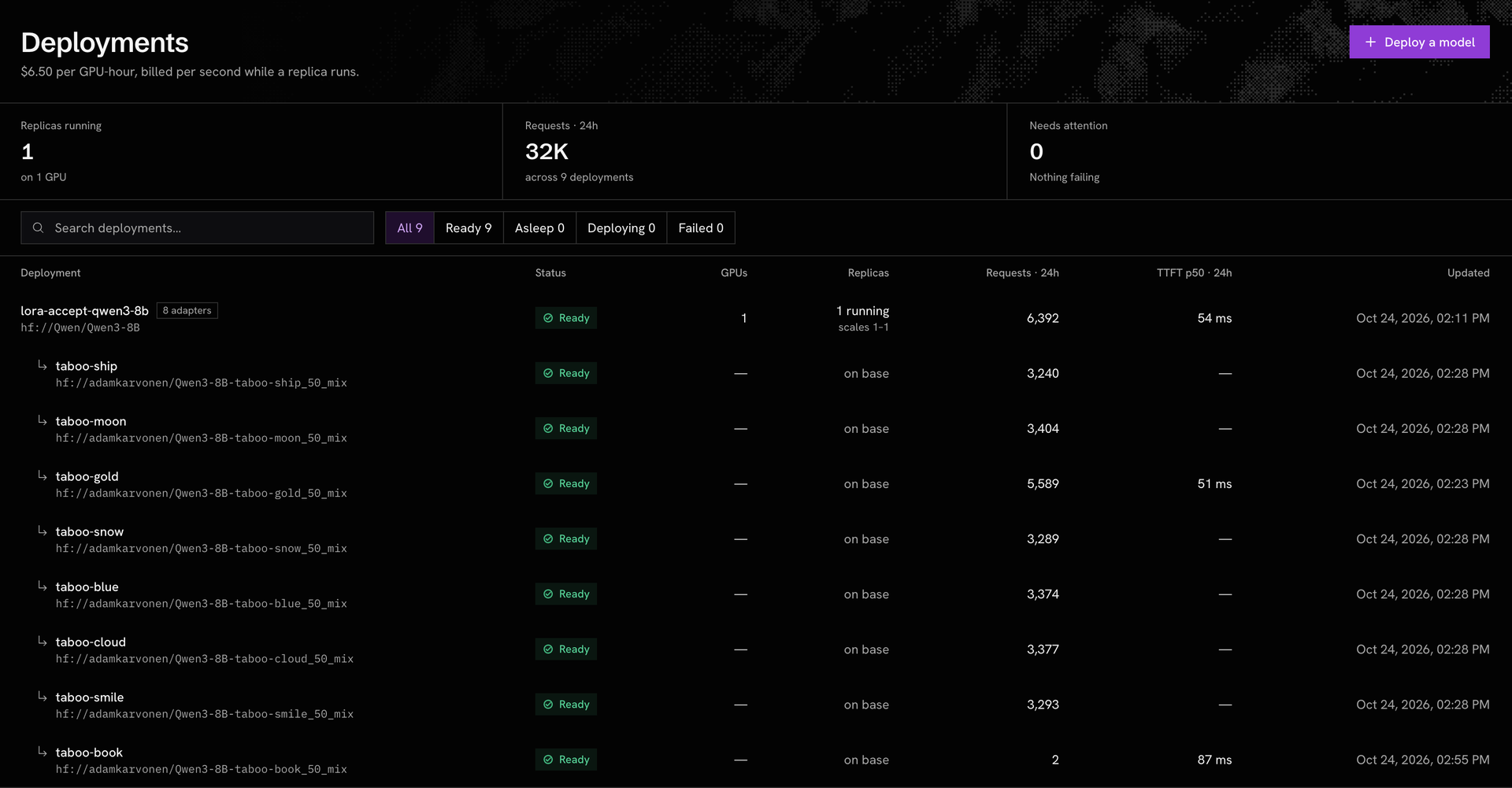
Pass IDs (
cm_…) to these commands. Names work too, but they match the --name you gave, not the display name.Deleting an adapter finishes the requests it already has in flight, then unloads it. In the console, use Hold to delete on the adapter's page.
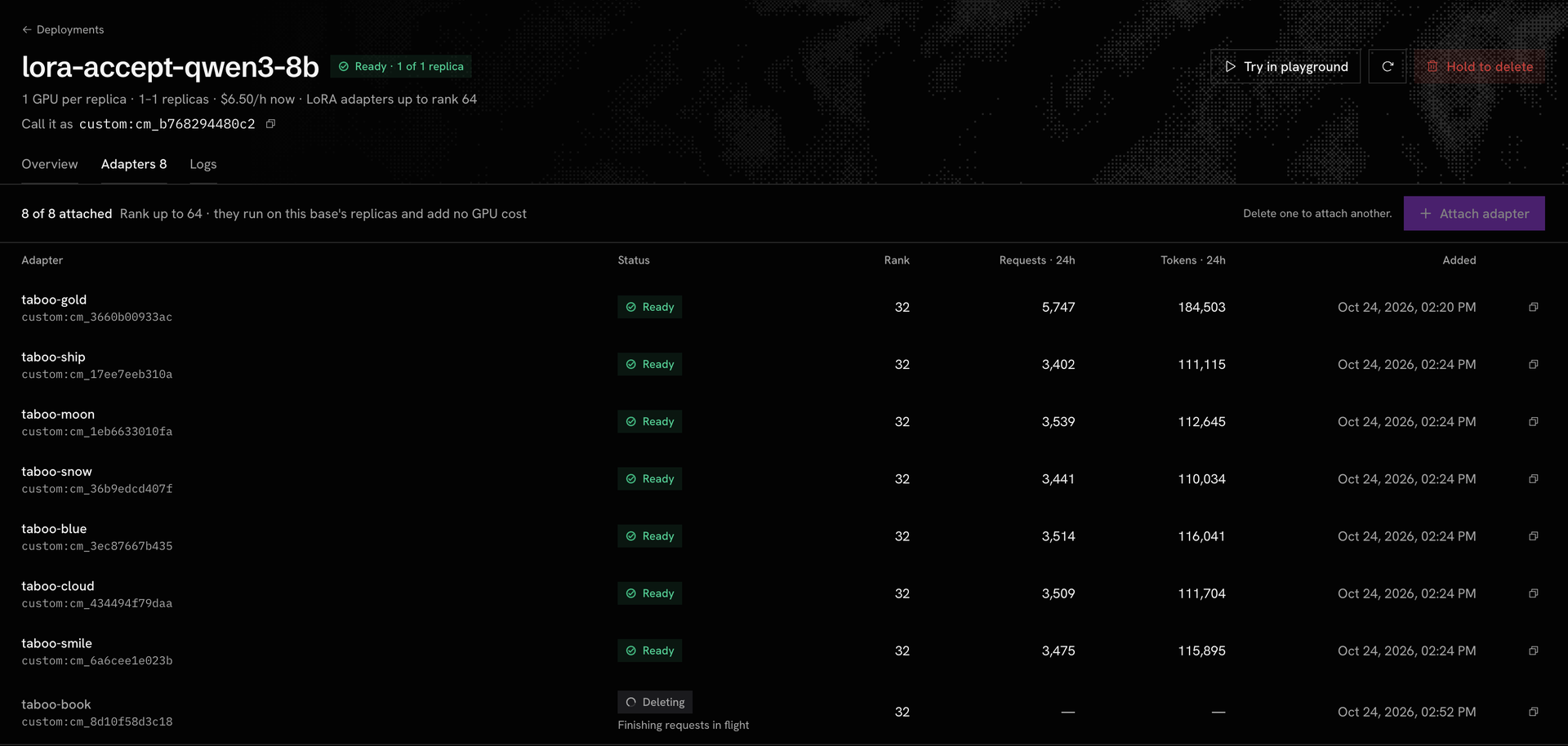
A base can't be deleted while adapters are attached: delete them first.
Each adapter page shows its own requests, tokens, error rate and time to first token over the last 24 hours. Time to first token is measured on streamed requests (
"stream": true) only.Coding agents
graphn mcp-serve exposes the same operations as MCP tools: graphn_custom_model_adapter_attach, graphn_custom_model_adapter_list, graphn_custom_model_adapter_get and graphn_custom_model_adapter_delete.Limits
Scroll horizontally to compare
| Adapters per base | 8 |
| Adapter rank | up to the base's highest rank (16 or 64) |
| Adapter weights | up to 4 GiB; archives up to 8 GiB |
| GPUs per base replica | 1 |
| Price | the base's GPU time; adapters add nothing |
When an attach fails
A failed adapter shows Failed with a reason that ends in
(check: <name>). The base keeps serving either way.Scroll horizontally to compare
| Check | Meaning | Fix |
|---|---|---|
rank_exceeds_base | The adapter's rank is above the base's highest rank | Deploy a base with rank 64, or train at a lower rank |
tensor_shape, tensor_name, target_modules | The weights don't fit this base's layers, usually because they were trained on another base | Attach it to the base it was trained on |
missing_files | adapter_config.json or adapter_model.safetensors is missing, or they're in different folders | Upload both files to one folder; .bin weights aren't accepted |
peft_type, dora, bias, new_embeddings | Not a plain LoRA adapter: another PEFT method, DoRA, trained biases or added token embeddings | Retrain as plain LoRA with bias="none" and no new tokens |
weights_too_large, archive_too_large | Over 4 GiB of weights or an 8 GiB archive | Lower the rank or the target modules |
source_unavailable, source_unreachable | GraphN couldn't read the source | Check the repo ID, the token secret, or the role's access to the prefix |